Why a Family Plan Beats Separate Individual Plans
A family password manager is one subscription that gives each person in your household their own private vault, plus shared vaults for the logins you all use. The best family plan for a UK household is 1Password Families for the smoothest sharing, Bitwarden Families for the lowest price, or Proton Pass Family for privacy extras.
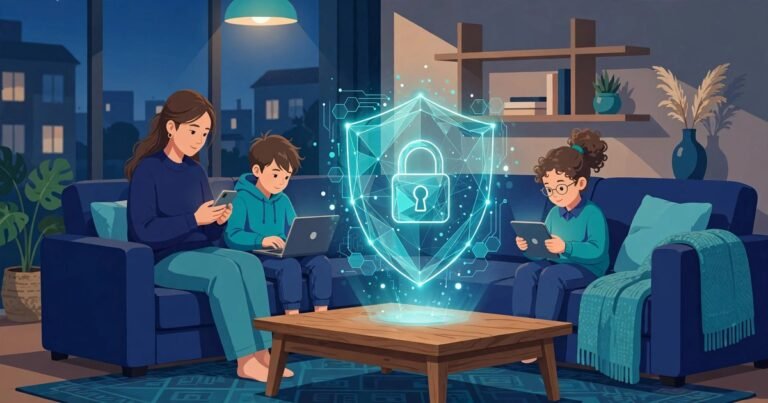
Most families share passwords badly: they text them, write them on paper, or reuse one password everywhere. A family password manager fixes that. Each person gets their own master password and private vault, while shared logins, such as the Wi-Fi password, live in a shared vault everyone can open.
A family plan is cheaper than buying the same product twice. It also solves the two problems that make families give up on password managers: sharing and recovery.
Sharing matters because households run on shared accounts: the energy supplier, the council tax portal, the school parent app, the streaming services. One shared vault holds all of them.
Recovery matters because someone always forgets a master password. On a good family plan, the family organiser can start a recovery process for a member who is locked out. Without one, a forgotten master password usually means the whole vault is lost.
The Best Family Password Managers Compared in Pounds
Prices below are approximate sterling figures. Most providers bill in US dollars, so check the provider’s own site before you buy.
| Manager | Family plan price (approx) | People included | Standout family feature |
|---|---|---|---|
| 1Password Families | About £4.50 a month billed yearly | 5 | Private vaults, guest sharing |
| Bitwarden Families | About £36 a year (about £3 a month) | 6 | Cheapest family plan |
| Proton Pass Family | About £3.99 a month billed yearly | 6 | Hide-my-email aliases included |
| NordPass Family | About £2.99 a month billed yearly | 6 | Simple setup, good value |
| Dashlane Friends and Family | About £6.49 a month billed yearly | 10 | Built-in VPN |
Per person, the maths is kind. Bitwarden Families works out at about £6 per person per year for a family of six, and 1Password Families at about £11 per person per year for a family of five. An individual plan costs roughly £28 to £48 a year on its own.
1Password Families: Best Overall for UK Families
1Password Families is the most polished family plan on the market. Each of the five members gets a private vault with their own master password, plus shared vaults for household logins. You can share a login without letting the other person edit or export it. The family organiser can recover a member’s account if they forget their master password. Watchtower, the built-in security dashboard, flags weak, reused or breached passwords across the whole family. Travel Mode lets each member hide sensitive vaults when crossing a border. The downsides are real: there is no free tier, only a 14-day trial, the price is in US dollars, and five members is the cap.
Bitwarden Families: Best Value for UK Families
Bitwarden Families is the cheapest serious family plan. It covers six people for about £36 a year, and the free tier for a single user is genuinely useful if you want to try the product first. Bitwarden is fully open source, which means its code can be checked by anyone, and it is regularly audited by independent security firms. The trade-off is polish: family sharing runs through a shared organisation rather than per-person vaults.
Proton Pass Family: Best for Privacy-Minded Families
Proton Pass Family covers six people for about £3.99 a month billed yearly. Every member gets a private vault, and the plan includes hide-my-email aliases, which let each family member sign up for services without giving out their real email address. Proton is based in Switzerland, and its data is stored under Swiss privacy law. The wider Proton Family bundle adds Mail, VPN and Drive at a much higher price, and it only pays off if your family would buy those separately.
NordPass Family and Dashlane Friends and Family
NordPass Family covers six people for about £2.99 a month billed yearly. It is easy to set up, and private vaults are fully separate from the shared folder. Dashlane Friends and Family covers up to ten people for about £6.49 a month billed yearly, which makes it the best value for a large or extended household. It also bundles a VPN and dark web monitoring. For a family of four or five, one of the cheaper plans wins.
What About UK Data Residency?
UK data residency means your encrypted vault data is stored on servers in the UK, or at least inside the UK and EU legal framework. None of the big family password managers stores vault data in the UK by default. Bitwarden lets paying customers pick a European data region. 1Password stores data in the US and Canada by default. Proton stores data in Switzerland. Because your vault is encrypted before it leaves your device, the provider cannot read your passwords wherever the servers sit. If UK residency is a hard requirement, Bitwarden’s European region option is the closest fit. Read how the wider UK password manager market handles data residency in our guide to password managers and UK GDPR data residency.
Kids, Teenagers and Emergency Access
A family password manager has to work for children too. Most family plans let you add a child, and the organiser keeps control until the child is old enough to manage their own vault. Set a rule in your house: school and gaming logins go in the shared vault, bank and email logins stay private. Emergency access is the feature families forget until they need it. Bitwarden and Dashlane include emergency access on paid plans, and 1Password handles it through family organiser account recovery. Set this up on day one, not during a crisis.
How to Set Up a Family Password Manager in an Afternoon
Start with the organiser’s account, then invite each family member by email. Each person sets their own master password and installs the app on their phone and browser. Then create one shared vault called Family and move the household logins into it: Wi-Fi, streaming, energy, council tax, the school app, the broadband account. Next, run the security check, which flags reused and weak passwords. Work through the worst ones first, starting with email and banking. If you find a password in a known data breach, change it right away. Our guide explains how to check if a password has leaked in a data breach. Finally, turn on two-factor authentication on the password manager itself, and store the recovery codes somewhere safe.
Frequently Asked Questions
What is the best password manager for families in the UK?
For most UK families, 1Password Families is the best overall choice. Bitwarden Families is the best value choice, and Proton Pass Family is the best privacy-focused choice.
How much does a family password manager cost in the UK?
A family password manager costs roughly £36 to £78 a year. Bitwarden Families is about £36 a year for six people, and 1Password Families is about £54 a year for five. Prices are approximate; most providers bill in US dollars.
Can my children use a family password manager?
Yes. Family plans let the organiser add children with their own vaults. Give children access to the shared vault for school and streaming logins, and keep banking logins in private adult vaults.
What happens if a family member forgets their master password?
On 1Password Families, the family organiser can start account recovery. Bitwarden and Dashlane offer emergency access on paid plans. Without a family plan, a forgotten master password usually means the vault cannot be recovered.
Is a family password manager safe?
Yes, provided you choose a reputable provider. The managers in this guide use end-to-end encryption, so your passwords are encrypted on your device before they are stored, and the provider cannot read them.
Do I need a family plan, or can we just share one login?
Share a plan, not a login. Sharing one account means everyone sees everyone else’s passwords, and there is no way to revoke one person’s access.
Conclusion
A family password manager is one of the cheapest upgrades a household can make. For about the price of one takeaway a month, every person in your home gets their own private vault, and your shared logins stop living in text messages. Pick 1Password Families for the smoothest experience, Bitwarden Families for the lowest price, or Proton Pass Family for privacy extras, then spend one afternoon setting it up properly.
About the Author