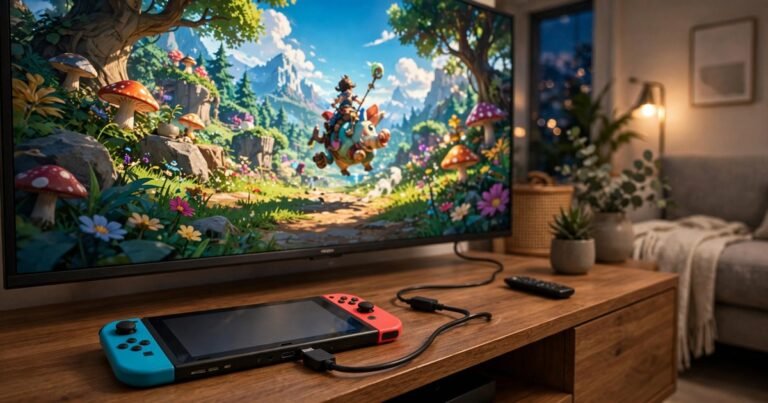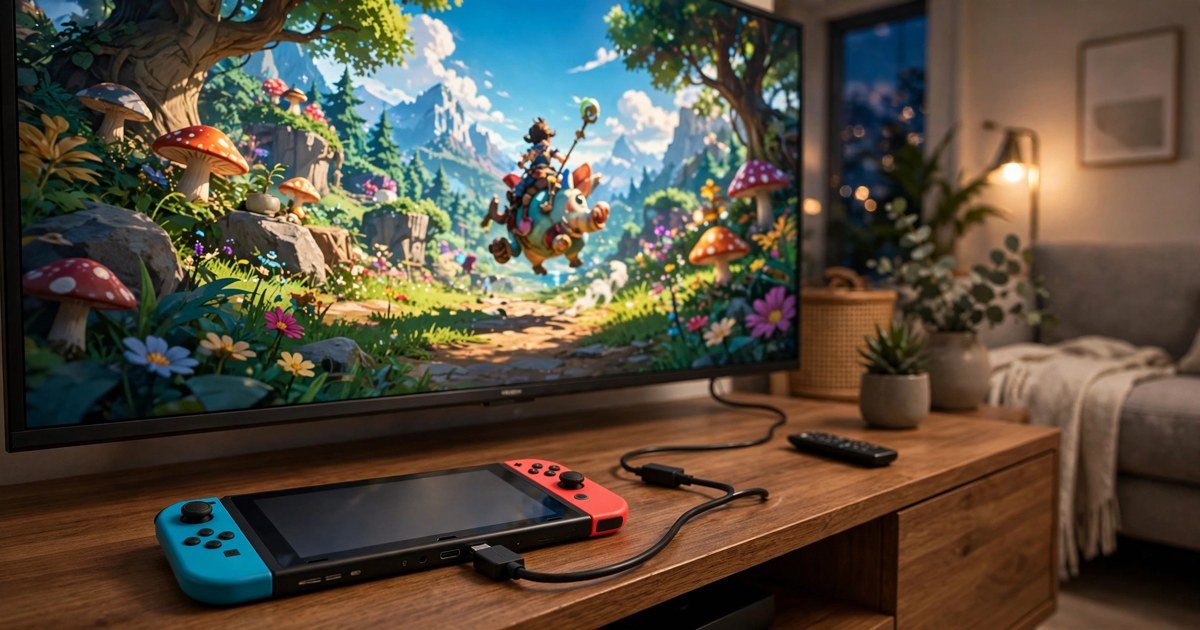
Yes, you can connect a Nintendo Switch to a TV without the official dock. You need a USB-C to HDMI adapter or a small portable dock with video output and USB-C Power Delivery, plus the Nintendo Switch AC adapter and an HDMI cable. The standard Switch and the OLED both work this way. The Switch Lite cannot output video, and the Switch 2 needs a Switch 2 adapter.
What you need
A dock-free setup replaces the three jobs the official dock does: video from the USB-C port, power to the console, and HDMI video to the TV.
- A standard Nintendo Switch or Nintendo Switch OLED Model.
- A USB-C to HDMI adapter or portable dock with USB-C power input and HDMI output.
- The Nintendo Switch AC adapter (model HAC-002) or a good quality USB-C PD charger.
- An HDMI cable and a TV, monitor or projector with a spare HDMI input.
The adapter matters most: a plain USB-C to HDMI cable with no power input will usually fail, because the Switch only enters TV mode with external power.
How to connect a Nintendo Switch to a TV without a dock
- Plug one end of the HDMI cable into the HDMI port on the adapter and the other end into a spare HDMI input on your TV. Note the input number, such as HDMI 1.
- Connect the Switch AC adapter to the USB-C power input on the adapter, then plug it into a wall socket.
- Connect the adapter USB-C plug to the USB-C port on the bottom edge of the Switch, and push it in fully until it sits flush.
- Turn on your TV and switch to the right HDMI input with your remote.
- Press the power button on the top of the Switch, or the Home button on a controller.
If it works, the Switch screen goes dark and the picture appears on your TV. If the Switch screen stays on, the console has not entered TV mode. That means the adapter has no power, or it does not support Switch video output.
Which Switch models can connect to a TV
Not every Switch can do this, because the difference is hardware. The standard Switch and the Switch OLED both output video over USB-C. The Switch Lite has no video output hardware, so no dock, adapter or cable can put a Lite on a TV. The Switch 2 can output video, but only with a Switch 2 compatible adapter.
Switch 2: the compatibility trap most guides miss
This is the biggest gap in the older guides ranking for this keyword. The Switch 2 does not accept most original Switch adapters. It expects a specific docking handshake, and a generic USB-C to HDMI adapter usually produces no signal at all.
If you own a Switch 2, buy an adapter that states Switch 2 compatibility on the product page. Brook launched a Switch 2 compatible USB-C to HDMI adapter in April 2026, sold on Amazon UK for £21.99, one of the few third party options confirmed to work. Use the original Switch 2 AC adapter for power, and the USB-C port on the bottom of the console, not the top port.
The official route is the Nintendo Switch 2 Dock Set at £92.99 on the Nintendo Store UK, with the dock, AC adapter, USB-C cable and Ultra High Speed HDMI cable. It costs far more, but it is the only option Nintendo guarantees.
The best dock-free adapters in the UK in 2026
You have two sensible options. Prices below are UK prices at the time of writing, so check the listing before you buy.
- Portable Switch dock: the easiest and most reliable replacement for the official dock. These small accessories are built for the Switch and usually include HDMI out, a USB-C PD power input and USB-A ports. Expect to pay around £15 to £30 on Amazon UK.
- USB-C to HDMI adapter with PD pass-through: the cheapest option, often under £15. It works if it supports Switch video output and USB-C Power Delivery. Check reviews from Switch owners, not just laptop users.
Avoid the cheapest no-name adapters, especially ones under £5 with no brand or reviews. Some do not support video output at all, even though they fit the port. Others deliver unstable power, and a bad adapter can overheat or in rare cases damage the console USB-C port. Saving £10 is not worth risking a £300 console. Buy from a known brand such as Anker, UGREEN or a Switch-specific brand with real Switch reviews.
Protect your USB-C port while you play
The official dock holds the Switch upright. A pocket adapter does not. If you leave the console hanging from the adapter and cable, all the weight pulls on the USB-C port, and over time that stress can loosen it. Lay the Switch flat on a table near the TV, or prop it on a small stand so the USB-C plug sits straight and the cable stays slack. A £5 stand protects a port that costs far more to repair.
No signal? Run this checklist
A blank TV is the most common problem. First, confirm the adapter is receiving power. The Switch AC adapter must be plugged into the adapter power input and into a wall socket, because a USB port on the TV is not enough. Second, check the TV input, since it is easy to plug into HDMI 2 and select HDMI 1. Third, reseat the USB-C plug. Unplug it and push it back in firmly, because a half-seated plug gives no signal. Fourth, try a different HDMI cable, since a damaged or very old cable is a common silent failure. If nothing works, the adapter is probably not compatible with your Switch model, which is the most likely answer with a Switch 2 and an older adapter.
Get the picture right once it works
Once the picture appears, switch your TV to Game Mode to cut input delay, and turn off motion smoothing and extra processing. These settings make a real difference in fast games. Our guide to reducing input lag on your TV walks through the exact settings, and the same steps work for a Switch. If you also play on a PlayStation, our best TV settings for PS5 gaming guide covers HDMI 2.1, ALLM and VRR.
Frequently asked questions
Can I connect my Nintendo Switch to a TV without a dock?
Yes. Use a USB-C to HDMI adapter or portable dock with video output and USB-C Power Delivery, plus the Switch AC adapter and an HDMI cable. The standard Switch and OLED support this, but the Lite does not.
Why does my Switch show no signal on the TV?
Missing power is the most common cause. The adapter must receive power from the Switch AC adapter or a USB-C PD charger, or the Switch will not enter TV mode. Also check the TV input, reseat the USB-C plug, and try another HDMI cable.
Can I use any USB-C to HDMI adapter with a Switch?
No. Many laptop adapters do not support Switch video output, even though they fit the port. Buy one that lists Nintendo Switch support and has a USB-C power input. For a Switch 2, it must state Switch 2 support.
Does the Nintendo Switch Lite work with a TV?
No. The Switch Lite has no video output hardware, so no dock, adapter or cable can display it on a TV. You need a standard Switch, an OLED model or a Switch 2.
Will a cheap adapter damage my Switch?
A very cheap unbranded adapter can deliver unstable power and, in rare cases, damage the USB-C port or the console. Stick to known brands with real Switch reviews, and use the official Nintendo AC adapter for power.
Conclusion
It is simple with the right adapter. You need a USB-C to HDMI adapter or portable dock with video output and USB-C Power Delivery, the Nintendo AC adapter, and an HDMI cable. The standard Switch and the OLED model work with most Switch adapters. The Switch Lite cannot do it at all, and the Switch 2 needs a Switch 2 compatible adapter. Buy a known brand, power the adapter properly, and support the console so the USB-C port takes no strain.
About the Author