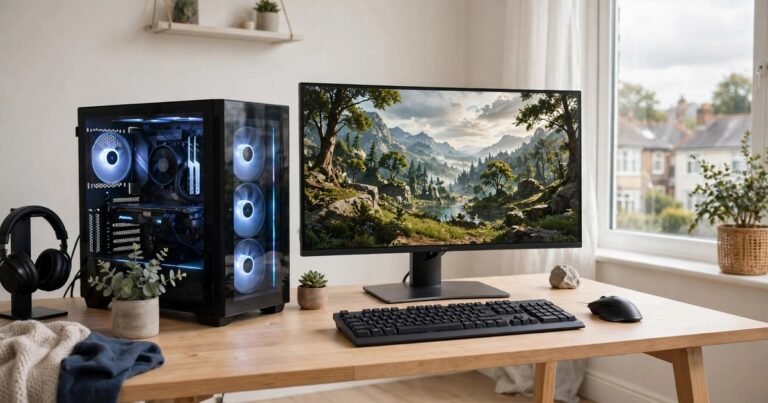
Choose your first gaming PC by starting with your monitor and the games you play, then matching a graphics card to that target. Spend most of your budget on the graphics card, pick 16GB of RAM as a minimum, and insist on a fast SSD. A sensible first PC in the UK in 2026 costs roughly £600 to £1,200, and a prebuilt system is the safer choice for most beginners.
Start With Your Games and Your Monitor, Not the Spec Sheet
Every good buying decision starts with two questions. What do you actually play, and what screen will you play it on? A fast-paced shooter at 1080p needs far less power than a huge open world game at 1440p.
Resolution sets the workload. At 1080p, the screen shows about two million pixels per frame. At 1440p, that figure jumps to about 3.7 million. The graphics card must draw every one of those pixels, many times per second. Check your monitor first. If you own a 1080p 60Hz screen, an entry level PC will serve you well. If you plan to buy a 1440p 144Hz screen, budget for a stronger graphics card to match it.
The Parts That Actually Matter
Graphics card (GPU)
The graphics card draws every frame you see. It has the biggest effect on frame rate and visual quality, so it deserves the largest share of your budget. For a first PC, look for a current generation dedicated card such as an RTX 5060 or an RX 9060 XT. Check how much video memory (VRAM) it carries: 8GB is a workable minimum in 2026, while 12GB or 16GB gives more headroom for demanding games.
Processor (CPU)
The processor handles game logic, physics, and everything running in the background. For gaming, six to eight modern cores are plenty. A mid-range AMD Ryzen 5 or Intel Core i5 pairs well with the cards above. A flagship processor rarely helps a first-time gamer, because games are usually limited by the graphics card, not the processor.
Memory (RAM)
RAM is the PC’s short-term working space. 16GB is the minimum for a gaming PC in 2026, and it suits focused gaming with a browser and chat app open. 32GB gives comfortable headroom if you stream, edit video, or keep dozens of browser tabs open. Make sure the RAM comes as two sticks rather than one, because two sticks run in dual channel mode and perform noticeably better.
Storage (SSD)
Insist on an NVMe SSD as the main drive. Games load far faster from an SSD than from an old mechanical hard drive, and Windows itself feels far more responsive. 1TB is the sensible starting point, because modern games are large and a 512GB drive fills up fast.
Power supply (PSU) and cooling
The power supply feeds every part, and it is exactly where cheap prebuilt PCs cut corners. Look for a named, reputable brand with enough wattage for the graphics card, typically 550W or more for an entry level build.
UK Budget Tiers in Pounds
Use these tiers as a guide, not a promise. Prices move with component costs and retailer offers, so treat each range as typical for late 2026.
| Tier | Typical price | Target | What you get |
|---|---|---|---|
| Entry | £600 to £800 | 1080p gaming | Mid-range GPU, 16GB RAM, 512GB to 1TB SSD. Great for esports and popular titles. |
| Sweet spot | £900 to £1,200 | 1080p ultra or 1440p high | Stronger GPU, 16GB to 32GB RAM, 1TB SSD. The best value for most first-time buyers. |
| High | £1,300 to £1,800 | 1440p ultra | High-end GPU with 12GB or more VRAM, 32GB RAM, 1TB to 2TB SSD. |
Prebuilt or Build It Yourself?
A prebuilt PC arrives assembled, tested, and ready to switch on. It includes a Windows licence, a single warranty that covers the whole machine, and support if something goes wrong. For a first-time buyer, that peace of mind is worth a lot. You pay a modest premium for assembly and testing, but you avoid the risk of a wrong part or a first boot that fails.
Building your own PC usually saves money and teaches you how the machine works, which pays off later when you upgrade. It also carries real risk for a beginner. Parts must be compatible, the build takes hours, and a fault means diagnosing it yourself. If you mainly want to play games, buy prebuilt.
Red Flags That Mark a Bad Deal
Watch for these warning signs when you compare listings:
- A single stick of RAM instead of two. Single channel memory holds performance back.
- An unnamed or unbranded power supply. A weak PSU can fail and damage other parts.
- A hard drive as the only storage, or an SSD smaller than 512GB.
- A vague listing that says “gaming graphics” without naming the exact graphics card model.
- A very old processor paired with a new graphics card. The imbalance wastes the card’s potential.
- No clear warranty terms. A reputable seller states the warranty length and who handles returns.
The Costs Beginners Forget
The PC itself is only part of the total cost. Budget for the rest before you buy. A monitor is the biggest extra. A decent 1080p 144Hz monitor is the right partner for an entry or sweet spot PC, while a 1440p screen suits the high tier. Then add a keyboard, mouse, and headset. You do not need expensive peripherals to start, but a comfortable keyboard matters during long sessions, and our guide to the best budget mechanical keyboard in the UK shows what to look for without overspending.
Your Rights as a UK Buyer
Under the Consumer Rights Act 2015, goods must be as described, of satisfactory quality, and fit for purpose. If a PC arrives faulty, you have a short-term right to reject it within 30 days for a full refund. After 30 days, the seller must offer a repair or replacement, and a refund if neither is possible within a reasonable time.
If you buy online, the Consumer Contracts Regulations add a 14-day cooling off period. You can change your mind within 14 days of delivery, even if the PC works perfectly, although you may need to cover return postage. Keep your order confirmation, and test the PC thoroughly in the first week so any fault shows up while your rights are strongest.
Your First Week With the New PC
Update Windows fully, then install the latest graphics drivers from NVIDIA or AMD rather than relying on the version that shipped in the box. Check temperatures during a gaming session with a free monitoring tool. Then install one demanding game and test it at your monitor’s native resolution. If frame rates disappoint, check the graphics settings before blaming the hardware. The tuning steps in our guide to increasing FPS apply to desktop PCs as well, from closing background apps to updating drivers.
Frequently Asked Questions
How much should I spend on my first gaming PC in the UK?
Most first-time buyers should budget £600 to £1,200 for the PC itself, plus a monitor and peripherals if they do not own them already. The £900 to £1,200 sweet spot gives the best balance of performance and longevity.
Is 16GB of RAM enough for gaming in 2026?
Yes, for focused gaming it is enough. 16GB handles modern games alongside a browser and chat app. Choose 32GB if you stream, edit video, or run demanding software at the same time as gaming.
Do I need a 4K monitor for my first gaming PC?
No. 4K gaming needs a high-end graphics card that costs far more than a first PC should. A 1080p or 1440p monitor is the right match for entry and sweet spot builds, and it keeps frame rates smooth.
Is it better to build or buy prebuilt as a beginner?
Buy prebuilt. You get a tested machine, a Windows licence, and a single warranty with support. Building saves some money and teaches useful skills, but the risk and time cost are real for a first attempt.
Conclusion
Choosing your first gaming PC is simpler than the spec sheets suggest. Start with your monitor and your games, spend most of your budget on the graphics card, insist on 16GB of RAM in two sticks and a fast SSD, and buy from a seller who publishes full specifications and clear warranty terms. Do that, and your first PC will play the games you love today and keep up for years to come.
About the Author