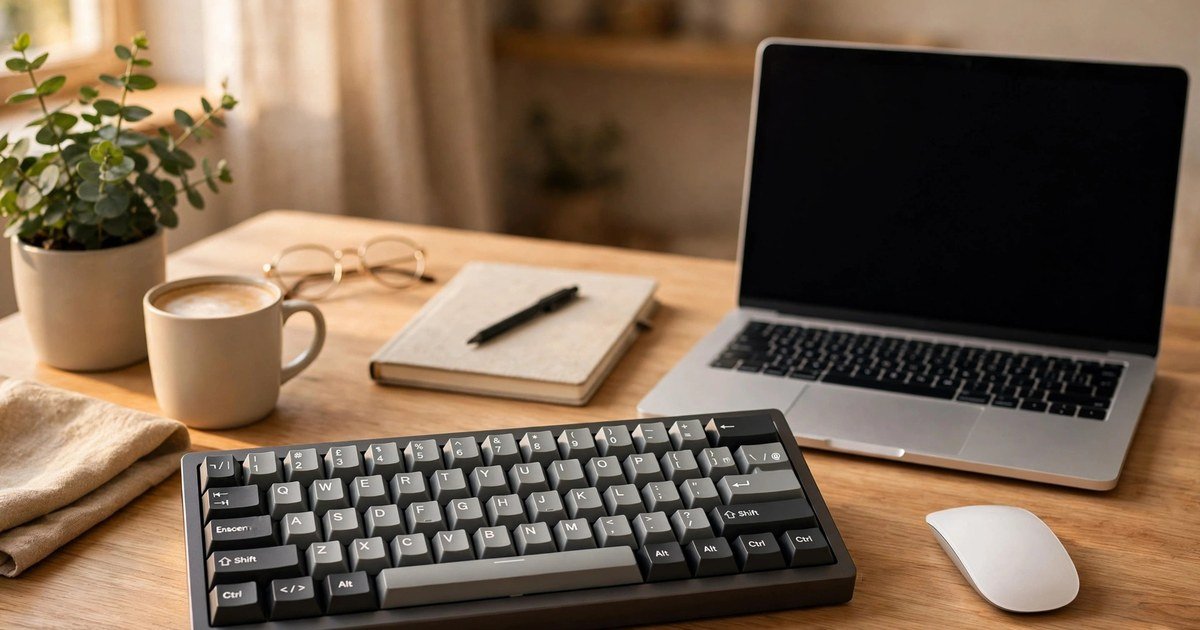
A budget mechanical keyboard should make typing feel better, not make buying feel harder. Yet UK shoppers face a maze of switch names, layout codes and prices in dollars. This guide focuses on keyboards you can actually buy in the UK, with a genuine UK layout, at a price that makes sense for gaming, office work, or both.
The short answer: spend between £35 and £65, insist on a UK ISO layout, choose your switch type before you choose a brand, and buy a hot swappable model if you can. That combination avoids the most common regrets.
Why most budget guides fail UK buyers
Many ranking pages are written for a global audience. They list keyboards that are cheap in the United States, but expensive, hard to find, or sold with the wrong layout in the UK.
The biggest trap is the layout. A US ANSI keyboard looks almost identical to a UK board, but the Enter key is smaller, the backslash key sits in a different place, and the symbols for quotation marks and the at sign are swapped. Always check the listing for the words UK ISO, not just UK layout or QWERTY.
Price is the second trap. A keyboard listed at $49 is not a £49 keyboard once shipping, import charges and currency conversion are added. This guide uses pound prices from UK stock.
What makes a keyboard mechanical
A mechanical keyboard gives each key its own switch. A membrane keyboard uses a rubber sheet under the keys instead. That single difference changes the feel, the sound, and the lifespan of the board.
Mechanical switches give a cleaner press, a more consistent feel, and keys that can often be replaced one by one. That means fewer missed keystrokes for typists, faster inputs for gamers, and a board that does not need replacing every year. You do not need to spend £150 to get those benefits.
Switches explained in plain English
Three switch types cover almost every budget board, and the choice matters more than the brand name on the box.
Linear switches: smooth and quiet
Linear switches, usually red, press straight down with no bump and no click. They are fast and quiet, and popular for gaming. The downside is that it is easier to press a key by accident, since there is no tactile warning before it activates.
Tactile switches: a bump you can feel
Tactile switches, usually brown, give a small bump halfway through the press. That bump tells your fingers the key has registered, without a loud click. This is the safest all round choice for both typing and gaming, and it suits a home office where noise matters.
Clicky switches: loud and satisfying
Clicky switches, usually blue, add a clear click to the tactile bump. They feel wonderful for solo typing, but they are loud enough to annoy colleagues or family on a call. Choose them only if you type alone.
If you are unsure, start with tactile brown switches. On a hot swappable board you can try a different switch later for a few pounds.
Size matters: full size, tenkeyless, or compact
A full size board includes a number pad. It suits spreadsheets and data entry, but it takes up the most desk space and pushes your mouse further right.
A tenkeyless board, often called TKL, drops the number pad but keeps the function row and arrow keys. It is the best balance for most buyers, fits smaller UK desks, and loses nothing most people use every day.
A 75 percent or 65 percent board is smaller still, and some keys move to a function layer. These boards free up desk space, but they take a week or two to learn. For a first budget mechanical keyboard, a tenkeyless board is the safest pick.
The best budget mechanical keyboards in the UK
Prices below are typical UK prices at the time of writing. Always confirm the layout, the switch type, and the returns policy before you buy.
Best overall: Keychron C3 Pro, around £38
The Keychron C3 Pro is the strongest budget pick for most UK buyers. It is a wired tenkeyless board with a genuine UK ISO layout, a gasket mount that softens the typing sound, and full programmability through QMK and VIA software. If you want one board for office work in the day and gaming at night, start here.
Best full size: Logitech G413 SE, around £45 to £55
If you need a number pad, the Logitech G413 SE is a solid full size option with UK ISO availability and a choice of switch types. The switches are soldered, not hot swappable, so choose your switch type carefully before you buy.
Best ultra budget: Redragon K552, around £35
The Redragon K552 is a compact tenkeyless board with mechanical switches and a metal frame. It lacks wireless and hot swappable switches, but it feels far better than any membrane keyboard at the same price.
Gaming versus office: what actually changes
For gaming, look for anti ghosting and N key rollover, which mean the board registers many keys pressed at once, and a layout that leaves room for your mouse. Linear switches suit fast paced games, while tactile switches suit slower, story driven games.
For office work, prioritise quiet switches and a layout you can type on for hours without thinking. One board can serve both jobs well: a tenkeyless board with tactile switches, hot swappable sockets, and a UK ISO layout is quiet enough for work and fast enough for games. If your keyboard also serves a gaming setup, our guide to best TV settings for PS5 gaming shows how the rest of the setup affects the experience.
Features worth paying for, and features to ignore
Hot swappable switches are worth paying for. They let you replace a faulty switch, or try a new switch type, without soldering and without buying a new keyboard. That alone can double the useful life of a budget board, which links to how long a laptop should last and when repair beats replacement.
Double shot PBT keycaps are also worth having, as they resist shine and wear far better than thin ABS keycaps. Do not pay extra for a screen on a budget keyboard, or for dozens of RGB modes you will never use. If you are pairing a new keyboard with an older machine, check how to make an old laptop faster first.
Before you buy: a five point UK checklist
- Confirm UK ISO layout in the listing, with a large Enter key and the pound sign in the right place.
- Confirm the switch type, and avoid clicky switches for shared rooms.
- Check the returns policy, so you can send the board back if the layout or feel is wrong.
- Check whether the board is hot swappable, and whether spare switches are easy to buy in the UK.
- Test every key on arrival, including the function layer, before the return window closes.
Frequently asked questions
Is a budget mechanical keyboard worth it over a membrane keyboard?
Yes, for most people. A budget mechanical keyboard feels better, lasts longer, and can often be repaired key by key.
What is the best budget mechanical keyboard for a UK office?
A tenkeyless board with tactile brown switches and a UK ISO layout is the safest office pick.
Do I need a UK ISO keyboard, or will a US keyboard work?
A US keyboard will work, but the layout differences will slow you down. If you type in the UK every day, buy a UK ISO board.
How much should I spend on a budget mechanical keyboard in the UK?
Spend between £35 and £65 for a good budget board. Below £25, quality drops sharply. Above £65, you are paying for premium features.
Conclusion
The best budget mechanical keyboard in the UK is not the cheapest board, or the board with the longest feature list. It is the board with a genuine UK ISO layout, a switch type that suits your hands, and a size that suits your desk, at a pound price you can justify. Start with a tenkeyless board, choose tactile switches if you are unsure, and buy hot swappable if you can.
About the Author