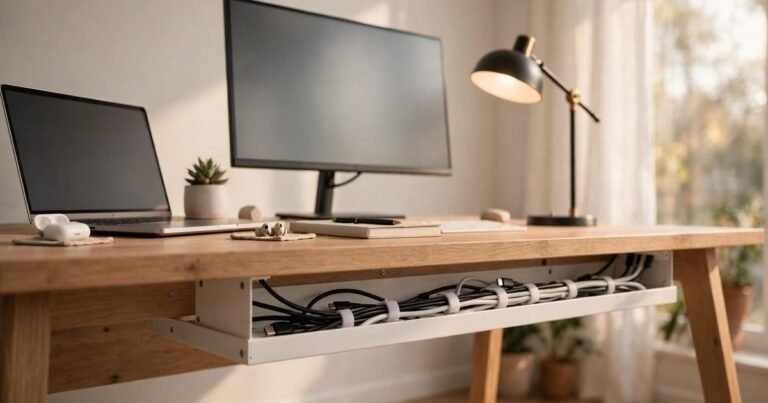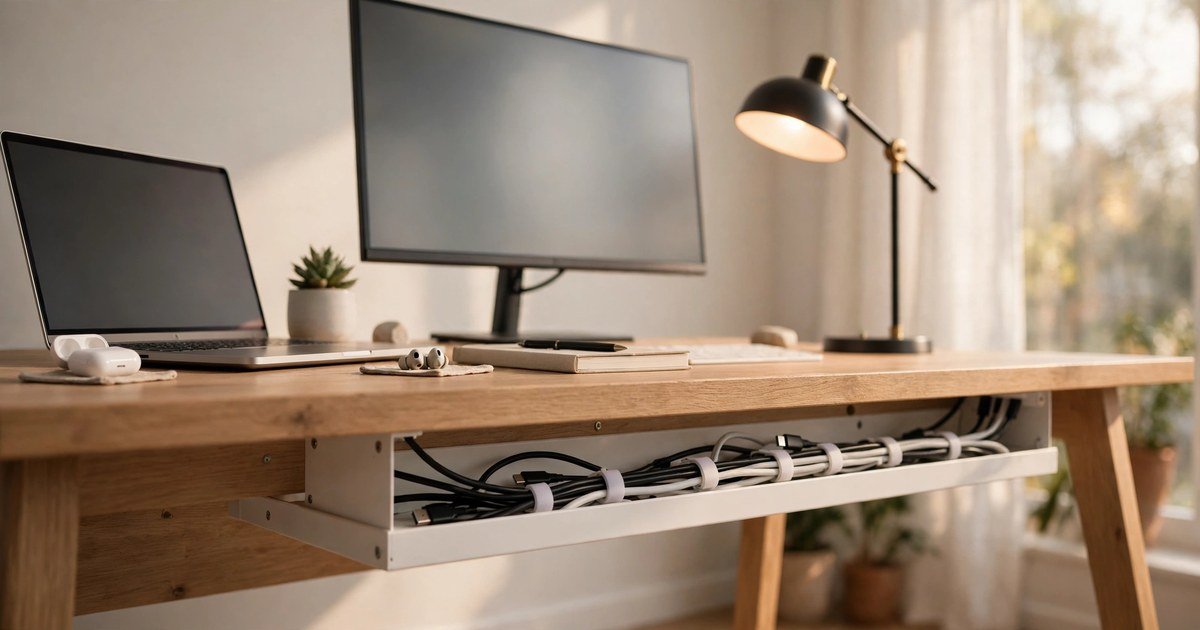
To organise cables under your desk, lift the power strip off the floor into a clamp-on tray, route every cable along the back edge of the desk in one horizontal run, and bundle cables that travel the same way with reusable Velcro ties. Leave a little slack at each end. The job takes about an hour and costs less than £25. It needs no drilling, which matters if you rent, or use a hollow-core IKEA desk.
Start with a 10-minute cable audit
Unplug everything and lay every cable out on the floor. Most desk mess is not a storage problem. It is too many leads doing too little work. You will usually find a phone charger you never use and a spare HDMI lead. Put those in a drawer.
Check what is left for damage. Throw away any lead with cracked insulation, bent pins, a loose plug, or scorch marks. Group the survivors by where they go: monitor leads in one pile, laptop leads in another, daily chargers in a third.
The no-drill toolkit: what to buy in the UK
First, a clamp-on under-desk tray. It grips the back edge of the desk with clamps, so there are no screws and no holes. The power strip and all the bulky plugs live inside it, off the floor. IKEA sells the FÖRSÄSONG tray in the UK, and similar trays are easy to find at Argos and Amazon UK. Expect around £10 to £20.
Second, a pack of reusable Velcro ties. These beat plastic zip ties, because desk setups change. A pack costs a few pounds from B&Q, Screwfix or Amazon UK.
Third, adhesive cable clips for the desktop edge. They stick to the back edge of the desk and guide one cable each up to the monitor, keyboard or lamp. Clean the surface with a wipe first, or the pads will peel off within weeks. A multi-pack costs around £4 to £8.
Fourth, a cable management box for the floor, if your wall socket is far from the desk. It swallows the extension lead and the coiled slack. Expect around £8 to £15. All in, a fixed desk costs roughly £15 to £25.
Measure your desk depth before you order, so the tray does not hit your knees. Our guide to the best budget gaming desk for small rooms in the UK covers desk sizes for typical UK bedrooms.
Step by step: route cables under your desk
Pull the desk a little away from the wall and switch everything off first.
Step 1: Mount the tray. Clamp it to the back edge of the desk, on the side nearest the wall socket. Put the power strip inside it and plug everything in up there, not on the floor. Run one lead from the strip down to the wall socket. That is the only cable that should touch the floor.
Step 2: Create one horizontal run. Route every cable along the back edge of the desk from the device to the tray, in a single line. Do not let cables cross each other.
Step 3: Bundle by route, not by device. The monitor power lead, the monitor HDMI lead and the laptop charger often drop down the same desk leg. Tie them together with a Velcro tie every 20 to 30 cm, and leave a little slack at each end.
Step 4: Clip the desktop cables. Use adhesive clips to run the keyboard, mouse and lamp leads along the back edge of the desktop, so they never dangle. If you stream or take video calls, run the webcam cable the same way. Read our guide to the best budget webcam for streaming in the UK before you buy.
Step 5: Deal with the slack. Coil extra length loosely into the tray or the cable box. Never wind a cable into a tight coil while it is plugged in and under load, and never staple or nail through a flex.
Step 6: Test everything. Plug the strip back in, switch on each device, and wiggle the desk slightly. Nothing should pull tight or fall out. Then push the desk back and check the floor is clear.
Standing desks need a different approach
A fixed desk lets you hide cables once and forget them. A standing desk moves, so your cables must move with it. Most guides miss this.
Route the cables to a tray under the desktop, then run a single flexible spine from the desk down to the floor. A cable spine is a segmented tube that bends as the desk rises and falls, and costs around £15 to £30.
Leave a loose U-shaped service loop inside the spine, so the cables can stretch when the desk goes up. Without it, a cable will yank out of its socket or pull the power strip off the tray.
Test the full range before you finish. Raise the desk to its highest setting and check that nothing is tight. Lower it fully and check that nothing is trapped or pinched.
Renters: keep your deposit safe
Most UK tenancy agreements ban drilling, and a landlord can charge you for the damage. A tidy desk needs no drilling at all.
Clamp-on trays grip the desk edge and leave no mark. Velcro ties and cable boxes touch nothing permanent. The only risky item is adhesive clips. On sealed paint or a smooth desktop they usually peel off cleanly, but on old plaster or a cheap veneer they can take a flake with them. Test one small patch in a hidden spot first.
If your desk is a hollow-core IKEA model such as the LINNMON or LAGKAPPEN, do not drive screws into the top at all. The top is mostly paper honeycomb with a thin skin, and a screw outside the pre-drilled leg blocks will tear out under the weight of a power strip.
Safety: what never to do
UK fire statistics for 2025/26 record electrical distribution as the ignition source in 3,410 of England’s 23,795 accidental dwelling fires. Trailing leads and overloaded sockets are a real part of that risk, and Electrical Safety First advises against both.
Never run cables under a rug or a carpet. The rug hides damage, traps heat, and turns a loose cable into a trip hazard. Never overload one extension lead with a heater, a kettle and your whole desk setup at once. Check the load rating printed on the strip. Never daisy-chain extension leads together. One strip, one wall socket. Never hide a power strip inside a closed box with no airflow if it runs warm.
If a plug or a cable feels hot to the touch, unplug it and replace it. Heat means something is wrong, and no amount of tidying will fix a failing lead. Our guide shows how to check your Wi-Fi speed on your phone and laptop, which is worth doing after any desk move.
Frequently asked questions
How can I hide cables under my desk without drilling?
Use a clamp-on cable tray for the power strip, adhesive clips for the desktop edge, and Velcro ties for the bundles. Nothing needs a screw.
What is the best cable management tray for a UK desk?
A clamp-on metal tray is the best all-round choice. It fits most desk thicknesses, leaves no marks, and holds a full power strip plus the plugs. IKEA’s FÖRSÄSONG tray is a widely available UK option.
How do I manage cables on a standing desk?
Route all cables to a tray under the desktop, then run a flexible cable spine from the desk to the floor with a loose service loop inside it. Test the desk at its highest and lowest settings before you finish.
How often should I re-check my desk cables?
Check them every six months, and every time you add or swap a device. Look for frayed insulation, loose plugs, warm cables, and any cable that has gone tight. A five-minute check keeps the setup safe.
A tidy desk is not about a perfect photograph. It is about a desk where you can see the floor, reach the plugs, and unplug things safely. Start with the audit, lift the power strip into a tray, run one line along the back edge, and bundle what travels together. Renters can do it without drilling, and standing desk owners can do it with a spine and a service loop. Do it once, do it properly, and your cables will stay out of the way for years.
About the Author